OpenLLM
注意
仍需为Qwen3更新。
OpenLLM 允许开发者通过一个命令运行不同大小的 Qwen2.5 模型,提供 OpenAI 兼容的 API。它具有内置的聊天 UI,先进的推理后端,以及简化的工作流程来使用 Qwen2.5 创建企业级云部署。访问 OpenLLM 仓库 了解更多信息。
安装
使用 pip 安装 OpenLLM。
pip install openllm
验证安装并显示帮助信息:
openllm --help
快速开始
在运行任何 Qwen2.5 模型之前,确保您的模型仓库与 OpenLLM 的最新官方仓库同步。
openllm repo update
列出支持的 Qwen2.5 模型:
openllm model list --tag qwen2.5
结果还会显示所需的 GPU 资源和支持的平台:
model    version                repo     required GPU RAM    platforms
-------  ---------------------  -------  ------------------  -----------
qwen2.5  qwen2.5:0.5b           default  12G                 linux
         qwen2.5:1.5b           default  12G                 linux
         qwen2.5:3b             default  12G                 linux
         qwen2.5:7b             default  24G                 linux
         qwen2.5:14b            default  80G                 linux
         qwen2.5:14b-ggml-q4    default                      macos
         qwen2.5:14b-ggml-q8    default                      macos
         qwen2.5:32b            default  80G                 linux
         qwen2.5:32b-ggml-fp16  default                      macos
         qwen2.5:72b            default  80Gx2               linux
         qwen2.5:72b-ggml-q4    default                      macos
要使用其中一个模型来启动服务器,请使用 openllm serve 命令,例如:
openllm serve qwen2.5:7b
默认情况下,服务器启动在 http://localhost:3000/。
与模型服务器交互
服务器运行后,可以通过以下方式调用其 API:
通过 CURL 向其 /generate 端点发送 HTTP 请求:
curl -X 'POST' \
   'http://localhost:3000/api/generate' \
   -H 'accept: text/event-stream' \
   -H 'Content-Type: application/json' \
   -d '{
   "prompt": "Tell me something about large language models.",
   "model": "Qwen/Qwen2.5-7B-Instruct",
   "max_tokens": 2048,
   "stop": null
}'
使用支持 OpenAI API 协议的框架和工具来调用。例如:
from openai import OpenAI

client = OpenAI(base_url='http://localhost:3000/v1', api_key='na')

# Use the following func to get the available models
# model_list = client.models.list()
# print(model_list)

chat_completion = client.chat.completions.create(
   model="Qwen/Qwen2.5-7B-Instruct",
   messages=[
      {
            "role": "user",
            "content": "Tell me something about large language models."
      }
   ],
   stream=True,
)
for chunk in chat_completion:
   print(chunk.choices[0].delta.content or "", end="")
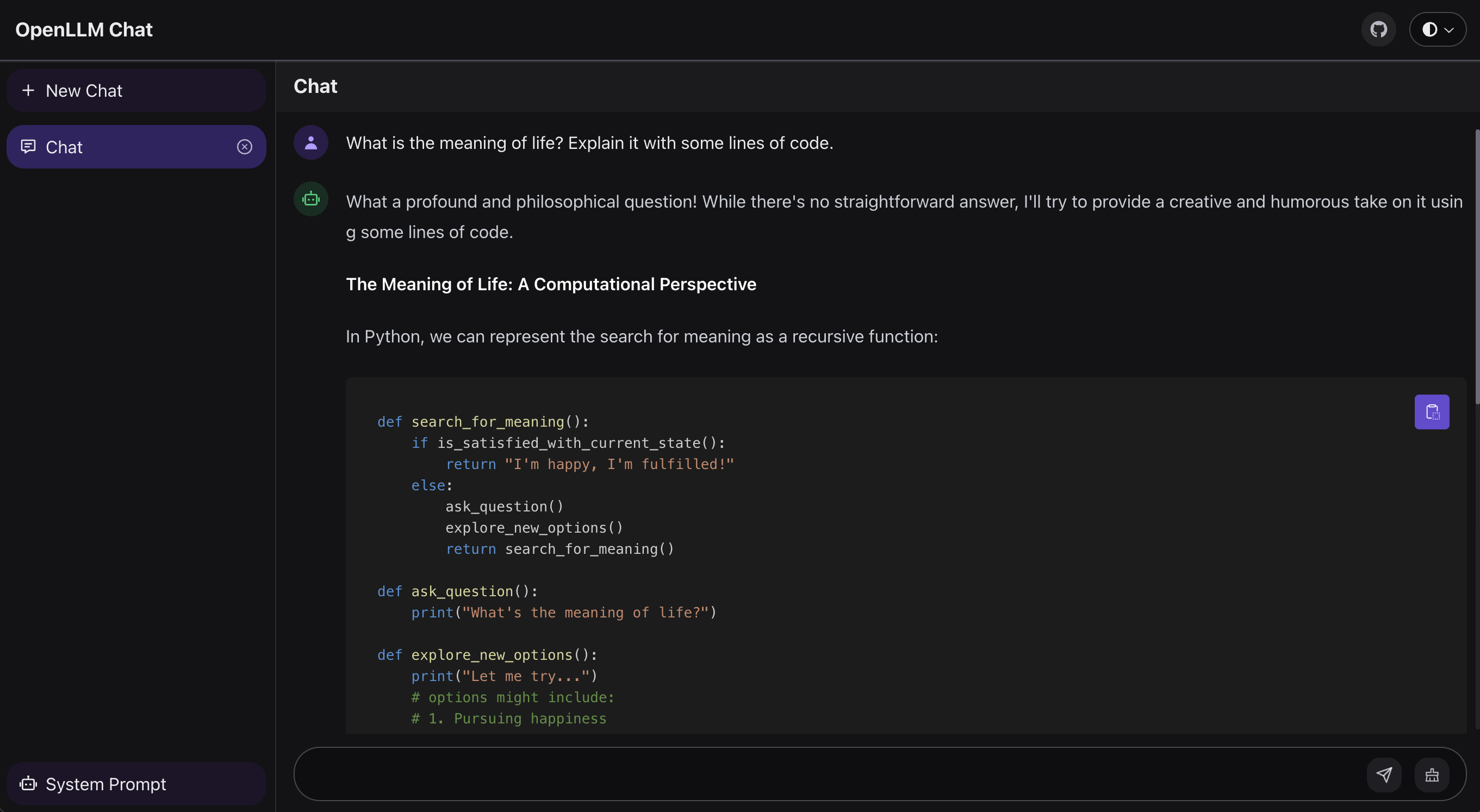
OpenLLM 为 LLM 服务器提供的聊天 UI 位于 /chat 端点,地址为 http://localhost:3000/chat。
模型仓库
OpenLLM 中的模型仓库表示可用的 LLM 目录。您可以为 OpenLLM 添加自定义的 Qwen2.5 模型仓库,以满足您的特定需求。请参阅 我们的文档 了解详细信息。