dstack
dstack is an open-source alternative to Kubernetes and Slurm, designed to simplify GPU allocation and AI workload orchestration for ML teams across top clouds, on-prem clusters, and accelerators.
Prerequisites
Before you start, install dstack by following the installation instructions. Once dstack server is up, you can initialize your workspace as shown below:
mkdir dstack-qwen-deploy && cd dstack-qwen-deploy
dstack init
Deploy Qwen3-30B-A3B
Deploy Qwen3-30B-A3B on instances available with cloud providers configured in your ~/.dstack/server/config.yml file.
You can use SgLang, TGI or vLLM to serve the model. Here we use SgLang as an example.
Create a service configuration file named serve-30b.dstack.yml with the following content:
type: service
name: qwen3-30b-a3b

image: lmsysorg/sglang:latest
env:
  - MODEL_ID=Qwen/Qwen3-30B-A3B

commands:
  - python3 -m sglang.launch_server
        --model-path $MODEL_ID
        --port 8000
        --trust-remote-code

port: 8000
model: Qwen/Qwen3-30B-A3B

resources:
  gpu: 80GB:1
Note
For other inference backends such as vLLM or TGI, visit the dstack Inference Examples documentation.
Go ahead and apply the service configuration:
dstack apply -f serve-30b.dstack.yml
Access the Service
After the service is successfully deployed, you can access the service’s endpoint in the following ways:
Access through service endpoint at <dstack server URL>/proxy/services/<project name>/<run name>/
curl http://localhost:3000/proxy/services/main/qwen3-30b-a3b/v1/chat/completions \
    -H 'Content-Type: application/json' \
    -H 'Authorization: Bearer <dstack token>' \
    -d '{
        "model": "Qwen/Qwen3-30B-A3B",
        "messages": [
            {
                "role": "user",
                "content": "Compose a poem that explains the concept of recursion in programming."
            }
        ]
}'
Note
When starting the dstack server, an admin token is automatically generated:
The admin token is "bbae0f28-d3dd-4820-bf61-8f4bb40815da"
The server is running at http://127.0.0.1:3000/
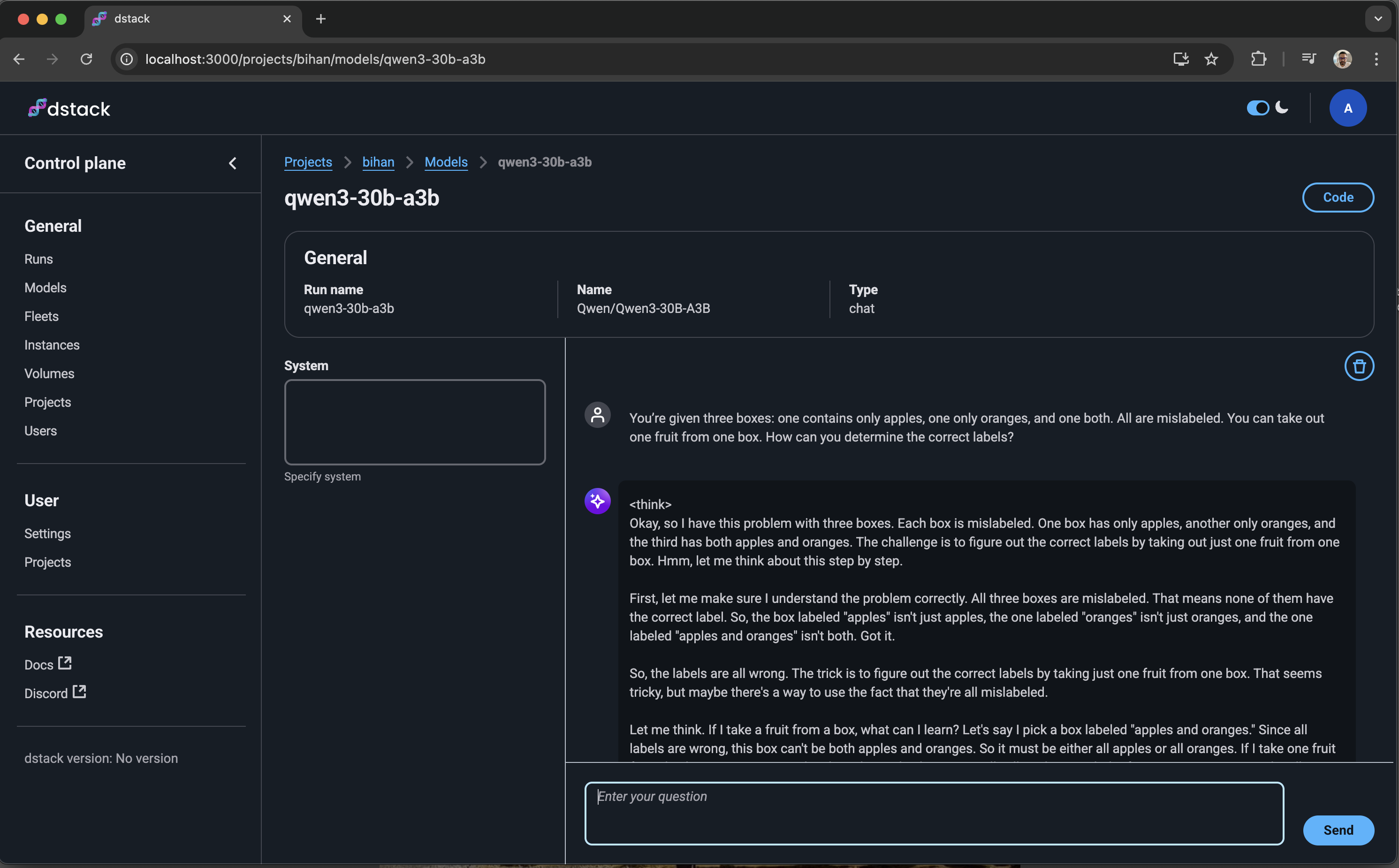
Access through dstack’s Chat UI at <dstack server URL>/projects/<project name>/models/<run name>/
Gateway
Running services for development purposes doesn’t require setting up a gateway.
However, you’ll need a gateway in the following cases:
To use auto-scaling or rate limits
To enable HTTPS for the endpoint and map it to your domain
If your service requires WebSockets
If your service cannot work with a path prefix
For detailed information about gateway configuration and usage, refer to the dstack documentation on gateways.
Replicas and Auto Scaling
You can auto scale the service by specifying additional configurations in the serve-30b.dstack.yml.
Set
replicas: min..maxto define the minimum and maximum number of replicasConfigure
scalingrules to determine when to scale up or down
Below is a complete configuration example with auto-scaling enabled:
type: service
name: qwen3-30b-a3b

image: lmsysorg/sglang:latest
env:
  - MODEL_ID=Qwen/Qwen3-30B-A3B

commands:
  - python3 -m sglang.launch_server
        --model-path $MODEL_ID
        --port 8000
        --trust-remote-code

port: 8000
model: Qwen/Qwen3-30B-A3B

resources:
  gpu: 80GB:1

# Minimum and maximum number of replicas
replicas: 1..4
scaling:
  # Requests per seconds
  metric: rps
  # Target metric value
  target: 10
Note
The scaling property requires a gateway to be set up.
See also
Fleets: Create cloud and on-prem clusters using Fleets.
Dev Environments: Experiment and test before deploying to production using Dev Environments.
Tasks: Schedule single node or distributed training using Tasks.
Services: Deploy models as secure, auto-scaling OpenAI-compatible endpoints using Services.
Metrics: Monitor performance with automatically tracked metrics via CLI or UI using Metrics.